Smerdoff
Smerdoff / AI Development

AI Automation for Small Business

Most small businesses lose hours a week to the same repetitive tasks — answering the same email questions, chasing unpaid invoices, following up with leads who went quiet. We build AI automations for the specific tasks eating your team's time, connected to the tools you already use.

Email Auto-ReplyInvoice RemindersLead Follow-UpRuns on Your Stack
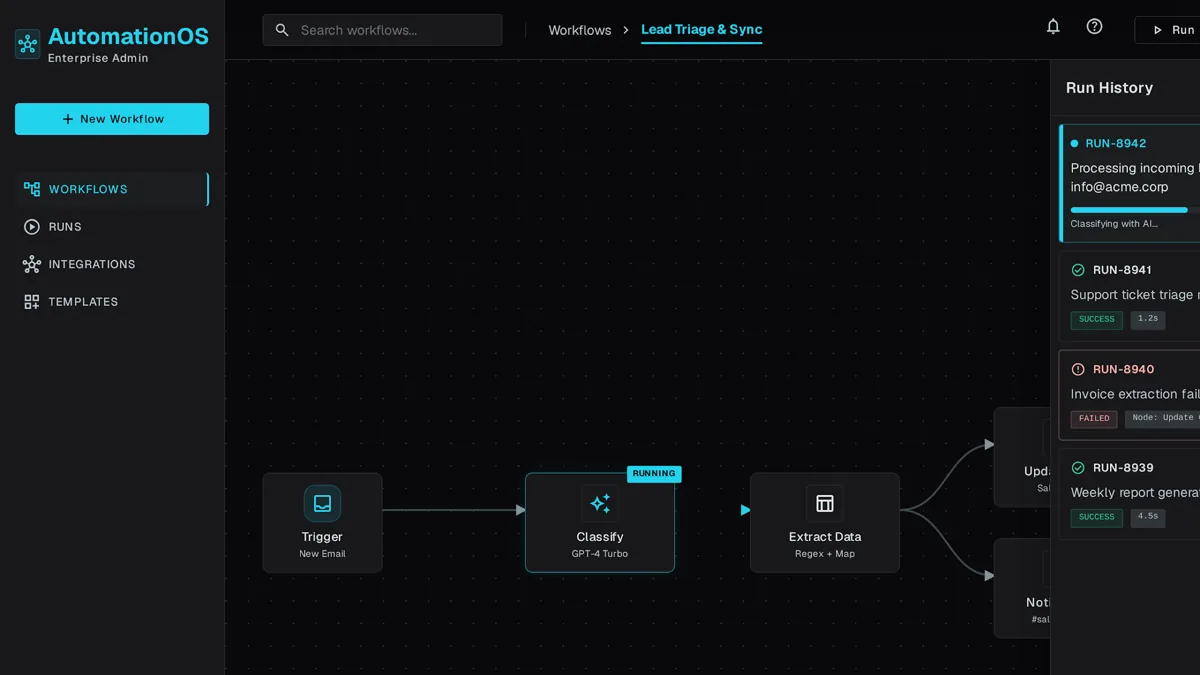
Dashboard listing active AI automations with toggles for email auto-reply, invoice reminders, and lead follow-up
65%
of support queries are now resolved without a human — up from 52% in 2023
LiveChatAI
21×
more likely a lead qualifies when contacted within 5 minutes — AI replies instantly
MIT / InsideSales

Why custom automation beats a stack of point tools

No-code automation chains and inbox rules break the moment your process changes. We build automations that understand context, not just triggers.

Understands content, not just keywords

An AI automation reads the actual email or invoice and decides what to do — a keyword rule can't.

Connects your existing tools

Works with the CRM, invoicing, and email you already use instead of forcing a migration.

No per-task subscription creep

One build instead of stacking multiple SaaS tools, each billing per automation or per seat.

Escalates instead of guessing

Routes to a person when a case doesn't fit the pattern, so nothing embarrassing goes out automatically.

Visible activity, not a black box

A dashboard shows what ran, what it decided, and lets you turn any automation off instantly.

Built around your process

Automates the steps your business actually follows, not a generic template workflow.

What we automate

Focused on the tasks that consume the most staff time with the least judgment required.

Email auto-reply

Drafts or sends responses to common inquiries, pulling accurate answers from your own information.

Invoice reminders

Tracks due dates and sends escalating follow-ups automatically until an invoice is paid.

Lead follow-up

Re-engages leads who stopped responding, on a schedule your sales team sets.

Document intake

Reads incoming forms, receipts, or attachments and files the data where it belongs.

Scheduling nudges

Sends reminders and reschedule requests without a person managing the calendar by hand.

Activity dashboard

One screen showing every automation, its status, and a toggle to pause it.

FAQ

Generic trigger-based automation tools move data between apps on fixed triggers. Our automations use AI to read and interpret content — an email, an invoice, a form — and decide what to do, which a trigger-based tool can't do on its own.

That's your call. Some automations run fully hands-off once you trust them; others draft a message for your team to approve first. We set the default based on the risk of the task.

We build the automation logic in a way you or we can adjust without rebuilding from scratch — it's not a rigid script.

A single well-defined automation, like invoice reminders or email auto-reply, typically launches in 2-4 weeks.

Related

Get a free estimate for your AI automation

Tell us which repetitive task is costing your team the most hours — we'll scope an automation that actually handles it.