Smerdoff
Smerdoff / AI Development

AI Document Processing

Manually re-typing data from invoices, forms, and receipts is slow and error-prone. We build AI document processing that reads incoming documents, extracts the fields that matter, and routes anything uncertain to a person instead of guessing.

Invoice ExtractionForm ParsingConfidence ScoringHuman Review Queue
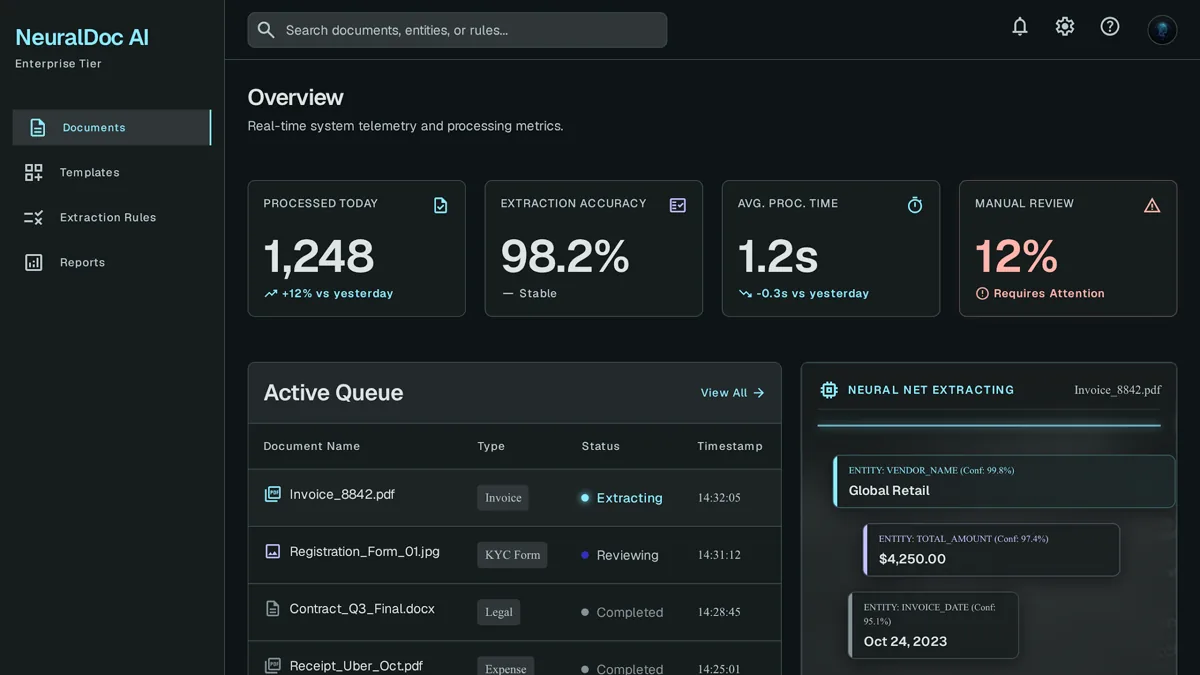
Queue of uploaded documents with extracted fields highlighted directly on each scanned invoice
65%
of support queries are now resolved without a human — up from 52% in 2023
LiveChatAI
21×
more likely a lead qualifies when contacted within 5 minutes — AI replies instantly
MIT / InsideSales

Why custom extraction beats generic OCR

Off-the-shelf OCR tools read text. They don't understand which number on an invoice is the total versus the tax line.

Understands document structure

Recognizes the difference between a subtotal, tax, and total instead of just transcribing every number it sees.

Trained on your document formats

Tuned to the actual invoices, forms, or receipts your business receives, not a generic template.

Flags low-confidence extractions

Sends uncertain fields to a review queue instead of silently entering a wrong number.

Feeds directly into your systems

Extracted data lands in your accounting software or database, not a spreadsheet someone has to copy over.

Cuts manual entry time sharply

Staff review flagged exceptions instead of re-typing every document that comes in.

Improves with your corrections

Every manual correction feeds back into the model's accuracy over time.

What goes into an AI document processing build

Built around the specific document types your business actually handles.

Field extraction

Pulls line items, totals, dates, and vendor details from invoices, receipts, or custom forms.

Confidence scoring

Marks each extracted field with a confidence level so low-certainty data gets flagged.

Review queue

A dashboard where a person confirms or corrects flagged extractions before they're finalized.

System integration

Sends verified data straight into your accounting, ERP, or CRM instead of a manual export step.

Multi-format support

Handles PDFs, scanned images, and emailed attachments in one intake pipeline.

Audit trail

Keeps the original document linked to its extracted data for compliance and dispute resolution.

FAQ

OCR reads characters off a page. Our extraction understands document structure — it knows a total is different from a subtotal — and flags anything it isn't confident about instead of returning raw, unverified text.

They go into a review queue for a person to confirm or correct, rather than being entered automatically. That threshold is tunable based on how costly an error would be.

Yes — forms, receipts, applications, and other structured documents work the same way once the model is trained on your specific formats.

A build covering one document type, like vendor invoices, typically launches in 3-5 weeks.

Related

Get a free estimate for your document processing build

Tell us which documents your team re-types by hand — we'll scope an extraction workflow that handles them.